

Tips and insights for parents and kids Consejos e ideas para padres e hijos 부모와 아이를 위한 팁과 인사이트
YouTube Safety for Kids: A Parent's Complete Guide to Safe Viewing YouTube Seguro para Niños: Guía Completa para Padres 아이를 위한 YouTube 안전 사용 완벽 가이드
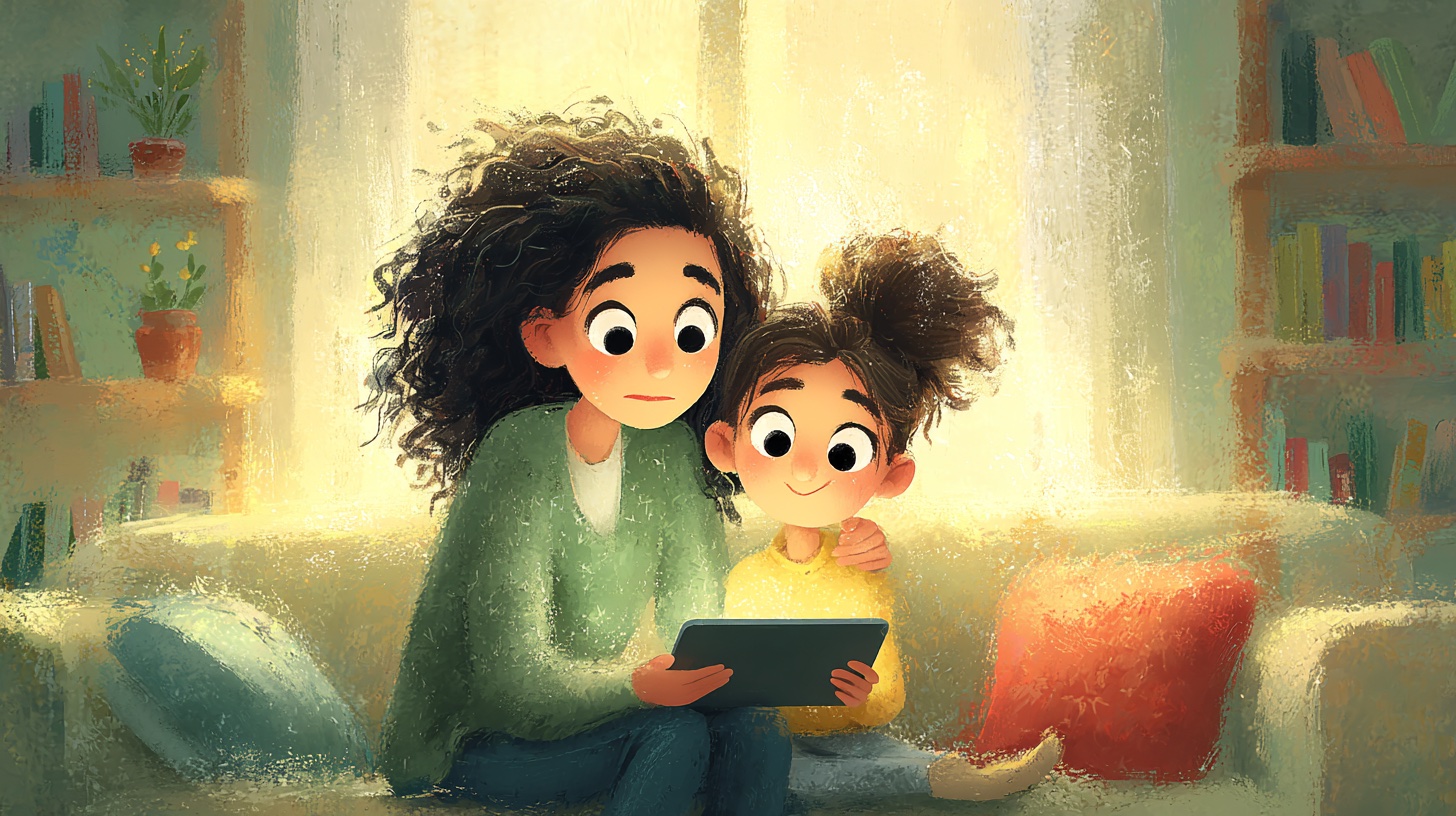
According to Pew Research Center (2024), 95% of US teens and 80% of children under 12 use YouTube regularly, yet 53% of parents report their child has encountered inappropriate content. This guide compares YouTube vs YouTube Kids, provides step-by-step parental control setup, recommends 10 vetted safe educational channels, and shares 5 evidence-based strategies to transform passive viewing into active learning. Según el Pew Research Center (2024), el 95% de los adolescentes y el 80% de los niños menores de 12 años usan YouTube regularmente, pero el 53% de los padres reporta que sus hijos han encontrado contenido inapropiado. Esta guía compara YouTube vs YouTube Kids, ofrece configuración paso a paso de controles parentales, recomienda 10 canales educativos seguros y comparte 5 estrategias basadas en evidencia. Pew Research Center(2024)에 따르면 미국 청소년의 95%와 12세 미만 어린이의 80%가 YouTube를 정기적으로 사용하지만, 부모의 53%가 자녀가 부적절한 콘텐츠를 접했다고 보고합니다. 이 가이드에서는 YouTube vs YouTube Kids 비교, 자녀 보호 설정 단계별 가이드, 안전한 교육 채널 10선, 수동적 시청을 능동적 학습으로 전환하는 5가지 전략을 소개합니다.
YouTube has transformed how children access entertainment and education—but it has also created new safety challenges that every parent must navigate. According to a 2024 Pew Research Center study, 95% of US teens ages 13-17 use YouTube, making it the most widely used online platform among young Americans. For younger children, Common Sense Media's 2023 report found that children ages 2-8 spend an average of 49 minutes per day watching online videos, with YouTube as the primary platform.
The good news? With the right knowledge and tools, you can create a safe, educational YouTube experience for your family. This guide gives you everything you need—from parental control setup to channel recommendations and evidence-based viewing strategies.
YouTube and Children: Understanding the Digital Landscape
The scale of children's engagement with YouTube presents both opportunities and challenges. Here are the key statistics every parent should know:
- 80% of parents with children under 12 say their child watches YouTube (Pew Research, 2024)
- 53% of parents report their child has encountered inappropriate content on the platform
- 67% of parents believe YouTube helps their child learn new things
- Children under 8 have difficulty distinguishing ads from content (Radesky et al., 2020)
- The AAP recommends no more than 1 hour per day of high-quality programming for children ages 2-5
The algorithmic recommendation system, while designed to keep viewers engaged, can lead children from safe educational content to progressively less appropriate material—a phenomenon researchers call the "rabbit hole effect" (Livingstone et al., 2017). This makes active parental involvement essential rather than optional.
YouTube vs YouTube Kids: Which Is Right for Your Family?
YouTube Kids was launched in 2015 specifically to create a safer viewing environment. Here is a detailed comparison to help you decide:
| Feature | YouTube Kids | Regular YouTube |
|---|---|---|
| Content Filtering | AI + human review, curated | Algorithm-based, community flagging |
| Search | Optional, restricted | Full search |
| Comments | Disabled | Enabled (except Made for Kids) |
| Ads | Limited, child-safe | Standard ads |
| Age Profiles | Under 4, 4-7, 8-12 | 13+ |
| Parental Controls | Built-in timer, content level | Restricted Mode, Family Link |
| Content Variety | Limited but vetted | Vast but unfiltered |
Our recommendation: Use YouTube Kids for children under 8, then transition to supervised regular YouTube with Restricted Mode for ages 8-12. Children 13+ can use regular YouTube with Google Family Link monitoring.
Essential Parental Controls: A Step-by-Step Setup Guide
Step 1: Set Up YouTube Kids (Ages 2-8)
- Download YouTube Kids from the App Store or Google Play
- Sign in with your Google account (required for full parental controls)
- Create a profile for your child—select their age group:
- Preschool (under 4): Most restrictive, curated content only
- Younger (4-7): Songs, cartoons, and educational content
- Older (8-12): Broader content including music videos and gaming
- Turn search on or off (off recommended for children under 5)
- Set the built-in timer (15, 30, 60, or 90 minutes)
Step 2: Enable Restricted Mode on Regular YouTube (Ages 8+)
- Open YouTube and tap your profile icon
- Go to Settings, then General
- Toggle "Restricted Mode" ON
- Important: This filters but does not block all inappropriate content—think of it as a filter, not a firewall
Step 3: Configure Google Family Link
Google Family Link provides comprehensive parental oversight:
- Set daily screen time limits specifically for YouTube
- Approve or block specific apps
- View activity reports showing exactly how much time is spent watching
- Set bedtime device lock
- Manage content restrictions across all Google services
Step 4: Create Curated Playlists
Rather than letting the algorithm decide what your child watches next, create playlists of approved channels and videos. This gives children choice within boundaries you have set—a strategy that child psychologists call "scaffolded autonomy" (Nikken & Jansz, 2014).
10 Safe and Educational YouTube Channels for Children
We reviewed content quality, educational value, advertising practices, and COPPA compliance to recommend these 10 channels:
Music and Language Learning
- HiDino Kids Songs — Educational songs combining music with learning. Features alphabet songs, counting songs, and storytelling through animation. High-quality content designed for ages 2-8.
- HiDino Canciones Para Niños — Spanish-language educational music for bilingual families. Perfect for children learning Spanish or native Spanish speakers. Ideal for the 63M+ Hispanic community in the US.
- Super Simple Songs — Simple, catchy songs with clean animation. Excellent for toddlers learning basic concepts like colors, numbers, and shapes.
Science and Discovery
- National Geographic Kids — Age-appropriate science and nature content exploring animals, geography, and natural phenomena.
- SciShow Kids — Short, engaging science explanations that answer the curious questions kids ask every day.
General Education
- Sesame Street — The gold standard of educational children's content since 1969. Covers literacy, numeracy, and social-emotional skills.
- StoryBots — High-quality educational content providing engaging answers to big questions children ask.
Entertainment + Learning
- CoComelon — Nursery rhymes and original songs. The most popular children's channel globally with 170M+ subscribers.
- Peppa Pig Official — Social skills and family dynamics through storytelling. Available in multiple languages.
- Blippi — Explores real-world places to teach colors, numbers, and concepts through hands-on adventures.
Selection criteria: All channels above are COPPA-compliant, have "Made for Kids" settings enabled, contain no user comments, and have been reviewed for ad safety. For more on why ad-free educational content matters, see our guide on why ad-free matters for children.
Responding to Inappropriate Content: A Parent's Action Plan
Even with the best controls, children may occasionally encounter concerning content. The Internet Watch Foundation reported a 77% increase in reports of harmful content targeting children between 2019 and 2023. Here is your action plan:
Immediate Response
- Stay calm — Your reaction sets the tone. Panicking may increase your child's anxiety
- Gently redirect — Say "Let's watch something else" rather than grabbing the device
- Ask open questions — "What did you see?" and "How did that make you feel?"
Technical Response
- Report the content — Use the three-dot menu, select Report, and choose the reason. YouTube reviews reports within 24 hours
- Block the channel — Go to the channel page, tap the three-dot menu, and select Block
- Clear watch history — This resets recommendations that may have been influenced by inappropriate content
Ongoing Prevention
- Review watch history weekly — Check viewing patterns in YouTube Kids or Family Link
- Update settings regularly — Adjust content levels and restrictions as your child grows
- Maintain open communication — Create a safe space where children feel comfortable reporting uncomfortable content to you
5 Strategies to Transform YouTube into an Educational Tool
Research by Radesky et al. (2020) shows that how children use screens matters more than how long. These evidence-based strategies maximize learning:
Strategy 1: Co-View and Discuss
Watch together and ask questions: "What did you learn?" "Can you sing that song?" Active engagement transforms passive watching into interactive learning. Studies show co-viewing increases comprehension by up to 50% compared to solo viewing (Strouse et al., 2013).
Strategy 2: Connect Screen to Real Life
After watching a counting song, practice counting real objects. After an animal video, visit a zoo or read a related book. This "transfer bridge" reinforces digital learning in the physical world. For music-based connections, explore how music supports brain development.
Strategy 3: Build Educational Playlists
Create themed playlists: "Morning Learning Songs," "Bedtime Lullabies," "Science Exploration." Channels like HiDino offer organized content that makes playlist creation easy. This structures viewing time around specific learning goals.
Strategy 4: Set Clear Rules Together
Involve your child in creating YouTube rules:
- When can they watch? (After homework, before dinner)
- How long? (Timer-based limits)
- What can they watch? (Approved channels and playlists only)
- Where? (Common areas, not bedrooms)
Children who participate in creating rules are 40% more likely to follow them consistently (Nikken & Jansz, 2014). For more guidance on managing screen time effectively, see our dedicated guide.
Strategy 5: Balance with Offline Activities
The AAP recommends that screen time should never replace sleep, physical activity, or face-to-face interaction. For every 30 minutes of YouTube, encourage 30 minutes of active play, reading, or creative activities. Music-based videos are particularly effective bridges—children can sing, dance, and play instruments after watching. See our post on using educational videos to spark curiosity for more ideas.
Creating Your Family's YouTube Safety Plan
Every family is different, but here is a framework you can customize:
| Age Group | Platform | Daily Limit | Supervision Level |
|---|---|---|---|
| Under 2 | No YouTube | 0 minutes | N/A (video chat only) |
| 2-4 years | YouTube Kids (Preschool) | 30 min | Co-viewing required |
| 4-7 years | YouTube Kids (Younger) | 45-60 min | Same room, check-ins |
| 8-12 years | YouTube Kids (Older) or Restricted Mode | 60-90 min | Periodic review |
| 13+ years | Regular YouTube + Family Link | Family decision | Open communication |
Remember: these are guidelines, not rigid rules. The most important factor is maintaining open communication with your children about what they watch and why certain boundaries exist. Technology is a tool—and like any tool, its value depends entirely on how we use it.
YouTube ha transformado la forma en que los niños acceden al entretenimiento y la educación, pero también ha creado nuevos desafíos de seguridad que todos los padres deben enfrentar. Según un estudio del Pew Research Center de 2024, el 95% de los adolescentes estadounidenses de 13 a 17 años usan YouTube, convirtiéndola en la plataforma en línea más utilizada entre los jóvenes. Para los niños más pequeños, el informe de Common Sense Media de 2023 encontró que los niños de 2 a 8 años pasan un promedio de 49 minutos diarios viendo videos en línea, siendo YouTube la plataforma principal.
¿La buena noticia? Con el conocimiento y las herramientas adecuadas, puedes crear una experiencia de YouTube segura y educativa para tu familia. Esta guía te brinda todo lo que necesitas: desde la configuración de controles parentales hasta recomendaciones de canales y estrategias de visualización basadas en evidencia.
YouTube y los Niños: Entendiendo el Panorama Digital
La magnitud del uso de YouTube por parte de los niños presenta tanto oportunidades como desafíos. Estas son las estadísticas clave que todo padre debe conocer:
- El 80% de los padres con hijos menores de 12 años dicen que sus hijos ven YouTube (Pew Research, 2024)
- El 53% de los padres reportan que sus hijos han encontrado contenido inapropiado en la plataforma
- El 67% de los padres creen que YouTube ayuda a sus hijos a aprender cosas nuevas
- Los niños menores de 8 años tienen dificultad para distinguir la publicidad del contenido (Radesky et al., 2020)
- La AAP recomienda no más de 1 hora diaria de programación de alta calidad para niños de 2 a 5 años
El sistema de recomendaciones algorítmicas, diseñado para mantener la atención de los espectadores, puede llevar a los niños de contenido educativo seguro hacia material progresivamente menos apropiado—un fenómeno que los investigadores llaman el "efecto madriguera" (Livingstone et al., 2017). Esto hace que la participación activa de los padres sea esencial, no opcional.
YouTube vs YouTube Kids: ¿Cuál Es Mejor para Tu Familia?
YouTube Kids fue lanzado en 2015 específicamente para crear un entorno de visualización más seguro. Aquí tienes una comparación detallada:
| Característica | YouTube Kids | YouTube Regular |
|---|---|---|
| Filtrado de contenido | IA + revisión humana, curado | Basado en algoritmos, señalización comunitaria |
| Búsqueda | Opcional, restringida | Búsqueda completa |
| Comentarios | Deshabilitados | Habilitados (excepto Made for Kids) |
| Anuncios | Limitados, seguros para niños | Anuncios estándar |
| Perfiles por edad | Menores de 4, 4-7, 8-12 | 13+ |
| Controles parentales | Temporizador integrado, nivel de contenido | Modo Restringido, Family Link |
| Variedad de contenido | Limitado pero verificado | Amplio pero sin filtrar |
Nuestra recomendación: Usa YouTube Kids para niños menores de 8 años, luego haz la transición a YouTube regular supervisado con Modo Restringido para edades de 8 a 12. Los niños de 13+ pueden usar YouTube regular con monitoreo de Google Family Link.
Controles Parentales Esenciales: Guía de Configuración Paso a Paso
Paso 1: Configura YouTube Kids (Edades 2-8)
- Descarga YouTube Kids desde App Store o Google Play
- Inicia sesión con tu cuenta de Google (necesario para controles parentales completos)
- Crea un perfil para tu hijo—selecciona su grupo de edad:
- Preescolar (menores de 4): Más restrictivo, solo contenido curado
- Menor (4-7): Canciones, dibujos animados y contenido educativo
- Mayor (8-12): Contenido más amplio incluyendo videos musicales
- Activa o desactiva la búsqueda (desactivada recomendada para menores de 5)
- Configura el temporizador integrado (15, 30, 60 o 90 minutos)
Paso 2: Activa el Modo Restringido en YouTube Regular (Edades 8+)
- Abre YouTube y toca el ícono de tu perfil
- Ve a Configuración, luego General
- Activa el "Modo Restringido"
- Importante: Esto filtra pero no bloquea todo el contenido inapropiado—piénsalo como un filtro, no como un muro
Paso 3: Configura Google Family Link
Google Family Link proporciona supervisión parental integral:
- Establece límites diarios de tiempo de pantalla específicamente para YouTube
- Aprueba o bloquea aplicaciones específicas
- Consulta informes de actividad que muestran exactamente cuánto tiempo se pasa viendo
- Configura el bloqueo nocturno del dispositivo
- Administra restricciones de contenido en todos los servicios de Google
Paso 4: Crea Listas de Reproducción Curadas
En lugar de dejar que el algoritmo decida qué ve tu hijo, crea listas de reproducción con canales y videos aprobados. Esto les da opciones dentro de los límites que has establecido—una estrategia que los psicólogos infantiles llaman "autonomía con andamiaje" (Nikken y Jansz, 2014).
10 Canales de YouTube Seguros y Educativos para Niños
Revisamos la calidad del contenido, el valor educativo, las prácticas publicitarias y el cumplimiento de COPPA para recomendar estos 10 canales:
Música y Aprendizaje de Idiomas
- HiDino Kids Songs — Canciones educativas en inglés que combinan música con aprendizaje. Incluye canciones del abecedario, canciones para contar y narración a través de animación.
- HiDino Canciones Para Niños — Música educativa en español para familias bilingües. Perfecto para niños que aprenden español o hablantes nativos. Ideal para la comunidad hispana de más de 63 millones en EE.UU.
- Super Simple Songs — Canciones sencillas y pegadizas con animación limpia. Excelente para niños pequeños que aprenden conceptos básicos.
Ciencia y Descubrimiento
- National Geographic Kids — Contenido de ciencia y naturaleza apropiado para la edad, explorando animales, geografía y fenómenos naturales.
- SciShow Kids — Explicaciones científicas cortas y entretenidas que responden las preguntas curiosas de los niños.
Educación General
- Sesame Street / Plaza Sésamo — El estándar de oro del contenido educativo infantil desde 1969. Disponible en español como Plaza Sésamo.
- StoryBots — Contenido educativo de alta calidad con respuestas atractivas a las grandes preguntas de los niños.
Entretenimiento + Aprendizaje
- CoComelon — Rimas infantiles y canciones originales. El canal infantil más popular del mundo con más de 170M de suscriptores. Disponible en español.
- Peppa Pig Official — Habilidades sociales y dinámica familiar a través de la narración. Disponible en español como Peppa Pig en Español.
- Blippi / Blippi en Español — Explora lugares del mundo real para enseñar colores, números y conceptos. Disponible completamente en español.
Criterios de selección: Todos los canales cumplen con COPPA, tienen la configuración "Made for Kids" activada y han sido revisados por seguridad. Para más información sobre por qué el contenido sin anuncios importa, consulta nuestra guía sobre por qué importa el contenido sin anuncios.
Respuesta ante Contenido Inapropiado: Plan de Acción para Padres
Incluso con los mejores controles, los niños pueden encontrar contenido preocupante ocasionalmente. La Internet Watch Foundation reportó un aumento del 77% en reportes de contenido dañino dirigido a niños entre 2019 y 2023.
Respuesta Inmediata
- Mantén la calma — Tu reacción marca el tono. El pánico puede aumentar la ansiedad de tu hijo
- Redirige suavemente — Di "Veamos otra cosa" en lugar de quitar el dispositivo
- Haz preguntas abiertas — "¿Qué viste?" y "¿Cómo te hizo sentir eso?"
Respuesta Técnica
- Reporta el contenido — Usa el menú de tres puntos, selecciona Reportar y elige el motivo
- Bloquea el canal — Ve a la página del canal, toca el menú de tres puntos y selecciona Bloquear
- Borra el historial — Esto reinicia las recomendaciones que pueden haber sido influenciadas
Prevención Continua
- Revisa el historial semanalmente — Comprueba los patrones de visualización
- Actualiza la configuración regularmente — Ajusta los niveles a medida que tu hijo crece
- Mantén la comunicación abierta — Crea un espacio seguro donde los niños se sientan cómodos reportando contenido incómodo
5 Estrategias para Convertir YouTube en una Herramienta Educativa
La investigación de Radesky et al. (2020) muestra que cómo los niños usan las pantallas importa más que cuánto tiempo. Estas estrategias basadas en evidencia maximizan el aprendizaje:
Estrategia 1: Ver Juntos y Dialogar
Mira junto a tu hijo y haz preguntas: "¿Qué aprendiste?" "¿Puedes cantar esa canción?" El compromiso activo transforma la visualización pasiva en aprendizaje interactivo. Los estudios muestran que ver contenido juntos aumenta la comprensión hasta un 50% comparado con verlo solo (Strouse et al., 2013).
Estrategia 2: Conecta la Pantalla con la Vida Real
Después de ver una canción para contar, practica contando objetos reales. Después de un video de animales, visita un zoológico. Este "puente de transferencia" refuerza el aprendizaje digital en el mundo físico. Para conexiones musicales, explora cómo la música apoya el desarrollo cerebral.
Estrategia 3: Crea Listas de Reproducción Educativas
Crea listas temáticas: "Canciones de Aprendizaje," "Canciones de Cuna," "Exploración Científica." Canales como HiDino ofrecen contenido organizado que facilita la creación de listas.
Estrategia 4: Establece Reglas Claras Juntos
Involucra a tu hijo en la creación de reglas:
- ¿Cuándo pueden ver? (Después de la tarea, antes de cenar)
- ¿Cuánto tiempo? (Límites con temporizador)
- ¿Qué pueden ver? (Solo canales y listas aprobados)
- ¿Dónde? (Áreas comunes, no dormitorios)
Los niños que participan en crear reglas son un 40% más propensos a seguirlas consistentemente (Nikken y Jansz, 2014). Para más orientación sobre cómo gestionar el tiempo de pantalla, consulta nuestra guía dedicada.
Estrategia 5: Equilibra con Actividades Sin Pantalla
La AAP recomienda que el tiempo de pantalla nunca reemplace el sueño, la actividad física o la interacción cara a cara. Por cada 30 minutos de YouTube, fomenta 30 minutos de juego activo, lectura o actividades creativas. Los videos musicales son puentes particularmente efectivos—los niños pueden cantar, bailar y tocar instrumentos después. Consulta nuestro artículo sobre cómo usar videos educativos para despertar la curiosidad.
Plan de Seguridad de YouTube para Tu Familia
Cada familia es diferente, pero aquí tienes un marco que puedes personalizar:
| Grupo de Edad | Plataforma | Límite Diario | Nivel de Supervisión |
|---|---|---|---|
| Menores de 2 | Sin YouTube | 0 minutos | N/A (solo videollamadas) |
| 2-4 años | YouTube Kids (Preescolar) | 30 min | Ver juntos obligatorio |
| 4-7 años | YouTube Kids (Menor) | 45-60 min | En la misma habitación |
| 8-12 años | YouTube Kids (Mayor) o Modo Restringido | 60-90 min | Revisión periódica |
| 13+ años | YouTube Regular + Family Link | Decisión familiar | Comunicación abierta |
Recuerda: estas son pautas, no reglas rígidas. El factor más importante es mantener una comunicación abierta con tus hijos sobre lo que ven y por qué existen ciertos límites. La tecnología es una herramienta—y como cualquier herramienta, su valor depende completamente de cómo la usemos.
YouTube는 아이들이 오락과 교육에 접근하는 방식을 완전히 바꾸었지만, 동시에 모든 부모가 대처해야 할 새로운 안전 과제를 만들었습니다. Pew Research Center(2024)의 연구에 따르면, 미국 청소년의 95%가 YouTube를 사용하며, Common Sense Media의 2023 보고서에 따르면 2~8세 어린이가 하루 평균 49분을 온라인 동영상 시청에 소비하고 있으며, YouTube가 주요 플랫폼입니다.
좋은 소식이 있습니다. 올바른 지식과 도구가 있으면 가족을 위한 안전하고 교육적인 YouTube 경험을 만들 수 있습니다. 이 가이드에서는 자녀 보호 설정부터 채널 추천, 근거 기반 시청 전략까지 필요한 모든 것을 제공합니다.
YouTube와 아이들: 디지털 환경 이해하기
어린이의 YouTube 사용 규모는 기회와 과제를 동시에 제시합니다. 모든 부모가 알아야 할 핵심 통계입니다:
- 12세 미만 자녀를 둔 부모의 80%가 자녀가 YouTube를 본다고 응답 (Pew Research, 2024)
- 부모의 53%가 자녀가 플랫폼에서 부적절한 콘텐츠를 접한 적이 있다고 보고
- 부모의 67%가 YouTube가 자녀의 학습에 도움이 된다고 믿음
- 8세 미만 어린이는 광고와 콘텐츠를 구별하기 어려움 (Radesky et al., 2020)
- AAP는 2~5세 어린이에게 하루 1시간 이하의 양질의 프로그램을 권장
시청자 참여를 유지하도록 설계된 알고리즘 추천 시스템은 어린이를 안전한 교육 콘텐츠에서 점점 더 부적절한 자료로 이끌 수 있습니다—연구자들이 "토끼굴 효과"라고 부르는 현상입니다 (Livingstone et al., 2017). 이것이 부모의 적극적인 개입이 선택이 아닌 필수인 이유입니다.
YouTube vs YouTube Kids: 우리 가족에게 맞는 것은?
YouTube Kids는 2015년에 어린이를 위한 더 안전한 시청 환경을 만들기 위해 출시되었습니다. 결정에 도움이 되는 상세 비교표입니다:
| 기능 | YouTube Kids | 일반 YouTube |
|---|---|---|
| 콘텐츠 필터링 | AI + 인간 검토, 큐레이션 | 알고리즘 기반, 커뮤니티 신고 |
| 검색 | 선택적, 제한됨 | 전체 검색 |
| 댓글 | 비활성화 | 활성화 (Made for Kids 제외) |
| 광고 | 제한적, 어린이 안전 | 일반 광고 |
| 연령 프로필 | 4세 미만, 4-7세, 8-12세 | 13세 이상 |
| 자녀 보호 | 내장 타이머, 콘텐츠 수준 | 제한 모드, Family Link |
| 콘텐츠 다양성 | 제한적이지만 검증됨 | 방대하지만 필터링 안 됨 |
권장 사항: 8세 미만 어린이에게는 YouTube Kids를, 8~12세에는 제한 모드가 켜진 일반 YouTube로 전환하세요. 13세 이상은 Google Family Link 모니터링과 함께 일반 YouTube를 사용할 수 있습니다.
필수 자녀 보호 설정: 단계별 가이드
1단계: YouTube Kids 설정 (2~8세)
- App Store 또는 Google Play에서 YouTube Kids 다운로드
- Google 계정으로 로그인 (전체 자녀 보호 기능에 필요)
- 자녀 프로필 생성—연령대 선택:
- 미취학 (4세 미만): 가장 제한적, 큐레이션된 콘텐츠만
- 저학년 (4-7세): 노래, 만화, 교육 콘텐츠
- 고학년 (8-12세): 뮤직비디오 등 더 넓은 콘텐츠
- 검색 기능 켜기/끄기 (5세 미만은 끄기 권장)
- 내장 타이머 설정 (15, 30, 60, 90분)
2단계: 일반 YouTube에서 제한 모드 활성화 (8세 이상)
- YouTube를 열고 프로필 아이콘 탭
- 설정 → 일반으로 이동
- "제한 모드" 켜기
- 중요: 이것은 필터이지 방화벽이 아닙니다—모든 부적절한 콘텐츠를 차단하지는 않습니다
3단계: Google Family Link 설정
Google Family Link는 포괄적인 부모 감독 기능을 제공합니다:
- YouTube 전용 일일 스크린 타임 제한 설정
- 특정 앱 승인 또는 차단
- 시청 시간을 정확히 보여주는 활동 보고서 확인
- 취침 시간 기기 잠금 설정
- 모든 Google 서비스에 걸친 콘텐츠 제한 관리
4단계: 큐레이션 재생목록 만들기
알고리즘이 자녀가 다음에 볼 것을 결정하게 두지 말고, 승인된 채널과 동영상의 재생목록을 만드세요. 이는 부모가 설정한 범위 내에서 아이에게 선택권을 줍니다—아동 심리학자들이 "발판 자율성"이라 부르는 전략입니다 (Nikken & Jansz, 2014).
어린이를 위한 안전한 교육 YouTube 채널 10선
콘텐츠 품질, 교육적 가치, 광고 관행, COPPA 준수 여부를 검토하여 다음 10개 채널을 추천합니다:
음악 및 언어 학습
- HiDino Kids Songs — 음악과 학습을 결합한 교육 동요. 알파벳 노래, 숫자 노래, 애니메이션 스토리텔링을 제공합니다. 2~8세 대상 고품질 교육 콘텐츠.
- HiDino Canciones Para Niños — 이중언어 가정을 위한 스페인어 교육 음악. 스페인어를 배우는 어린이나 스페인어 원어민에게 적합합니다.
- Super Simple Songs — 깔끔한 애니메이션과 함께하는 쉽고 중독성 있는 노래. 색깔, 숫자, 모양 같은 기본 개념을 배우는 유아에게 탁월합니다.
과학 및 탐구
- National Geographic Kids — 동물, 지리, 자연 현상을 탐구하는 연령에 맞는 과학 콘텐츠.
- SciShow Kids — 아이들의 호기심 가득한 질문에 답하는 짧고 흥미로운 과학 설명.
종합 교육
- Sesame Street — 1969년부터 이어져 온 교육 어린이 콘텐츠의 최고봉. 문해력, 수리력, 사회정서 능력을 다룹니다.
- StoryBots — 아이들이 던지는 큰 질문에 매력적인 답변을 제공하는 고품질 교육 콘텐츠.
오락 + 학습
- CoComelon — 동요와 오리지널 노래. 1억 7천만 이상의 구독자를 보유한 전 세계 가장 인기 있는 어린이 채널.
- Peppa Pig Official — 스토리텔링을 통해 사회성과 가족 역학을 가르칩니다. 다국어로 제공.
- Blippi — 실제 장소를 탐험하며 색깔, 숫자, 개념을 가르치는 체험형 학습.
선정 기준: 위 모든 채널은 COPPA를 준수하고, "Made for Kids" 설정이 활성화되어 있으며, 광고 안전성이 검토되었습니다. 광고 없는 교육 콘텐츠가 왜 중요한지 더 알아보려면 광고 없는 콘텐츠의 중요성 가이드를 참조하세요.
부적절한 콘텐츠 대응: 부모 행동 계획
최선의 통제 수단을 갖추고 있어도 아이들이 때때로 우려스러운 콘텐츠를 접할 수 있습니다. Internet Watch Foundation은 2019년에서 2023년 사이 아동 대상 유해 콘텐츠 신고가 77% 증가했다고 보고했습니다.
즉각 대응
- 침착하게 — 부모의 반응이 분위기를 결정합니다. 당황하면 아이의 불안이 커질 수 있습니다
- 부드럽게 전환 — 기기를 빼앗지 말고 "다른 것을 보자"라고 말하세요
- 열린 질문 — "무엇을 봤어?" "어떤 기분이 들었어?"라고 물어보세요
기술적 대응
- 콘텐츠 신고 — 점 세 개 메뉴 → 신고를 선택하고 사유를 선택. YouTube는 24시간 내에 검토합니다
- 채널 차단 — 채널 페이지 → 점 세 개 메뉴 → 차단 선택
- 시청 기록 삭제 — 부적절한 콘텐츠의 영향을 받은 추천을 초기화합니다
지속적 예방
- 주간 시청 기록 확인 — YouTube Kids 또는 Family Link에서 시청 패턴을 점검하세요
- 정기적 설정 업데이트 — 아이가 성장함에 따라 콘텐츠 수준과 제한을 조정하세요
- 열린 소통 유지 — 아이가 불편한 콘텐츠를 편하게 말할 수 있는 안전한 공간을 만드세요
YouTube를 교육 도구로 변환하는 5가지 전략
Radesky et al.(2020)의 연구에 따르면, 아이의 스크린 사용에서 얼마나 오래보다 어떻게 사용하느냐가 더 중요합니다. 다음 근거 기반 전략이 학습 효과를 극대화합니다:
전략 1: 함께 보고 대화하기
함께 시청하며 질문하세요: "무엇을 배웠어?" "그 노래 불러볼 수 있어?" 능동적 참여는 수동적 시청을 상호적 학습으로 바꿉니다. 연구에 따르면 함께 시청하면 혼자 시청하는 것보다 이해력이 최대 50% 증가합니다 (Strouse et al., 2013).
전략 2: 화면과 실생활 연결하기
숫자 노래를 본 후 실제 물건으로 세기를 연습하세요. 동물 영상을 본 후 동물원을 방문하거나 관련 책을 읽으세요. 이 "전이 다리"가 디지털 학습을 현실 세계에서 강화합니다. 음악을 통한 연결에 대해서는 음악과 아이의 뇌 발달을 참조하세요.
전략 3: 교육 재생목록 만들기
테마별 재생목록을 만드세요: "아침 학습 노래", "잠자리 자장가", "과학 탐험". HiDino와 같은 채널은 재생목록 만들기를 쉽게 해주는 체계적 콘텐츠를 제공합니다.
전략 4: 함께 명확한 규칙 세우기
자녀를 YouTube 규칙 만들기에 참여시키세요:
- 언제 볼 수 있는지? (숙제 후, 저녁 식사 전)
- 얼마나 오래? (타이머 기반 제한)
- 무엇을 볼 수 있는지? (승인된 채널과 재생목록만)
- 어디서? (거실 등 공용 공간, 침실은 아님)
규칙 만들기에 참여한 아이들은 일관되게 규칙을 따를 확률이 40% 높습니다 (Nikken & Jansz, 2014). 효과적인 스크린 타임 관리에 대한 더 자세한 안내는 전용 가이드를 참조하세요.
전략 5: 오프라인 활동과 균형 맞추기
AAP는 스크린 타임이 수면, 신체 활동, 대면 상호작용을 대체해서는 안 된다고 권고합니다. YouTube 시청 30분마다 30분의 활발한 놀이, 독서, 창의적 활동을 장려하세요. 음악 기반 영상은 특히 효과적인 다리 역할을 합니다—아이들이 시청 후 노래하고, 춤추고, 악기를 연주할 수 있습니다. 더 많은 아이디어를 위해 교육 동영상으로 호기심 키우기 포스트를 확인해 보세요.
우리 가족의 YouTube 안전 계획 만들기
모든 가족은 다르지만, 맞춤할 수 있는 기본 틀을 제시합니다:
| 연령대 | 플랫폼 | 일일 제한 | 감독 수준 |
|---|---|---|---|
| 2세 미만 | YouTube 사용 안 함 | 0분 | 해당 없음 (화상통화만) |
| 2~4세 | YouTube Kids (미취학) | 30분 | 함께 시청 필수 |
| 4~7세 | YouTube Kids (저학년) | 45-60분 | 같은 방에서 확인 |
| 8~12세 | YouTube Kids (고학년) 또는 제한 모드 | 60-90분 | 정기 검토 |
| 13세 이상 | 일반 YouTube + Family Link | 가족 결정 | 열린 소통 |
기억하세요: 이것은 가이드라인이지 엄격한 규칙이 아닙니다. 가장 중요한 요소는 자녀와 무엇을 시청하고 왜 특정 경계가 존재하는지에 대해 열린 소통을 유지하는 것입니다. 기술은 도구입니다—그리고 모든 도구와 마찬가지로 그 가치는 전적으로 우리가 어떻게 사용하느냐에 달려 있습니다.

Comments Comentarios 댓글
No comments yet. Be the first! Aún no hay comentarios. ¡Sé el primero! 아직 댓글이 없습니다. 첫 번째로 작성해보세요!
Leave a comment Deja un comentario 댓글 남기기